Making a Treasure Chest#
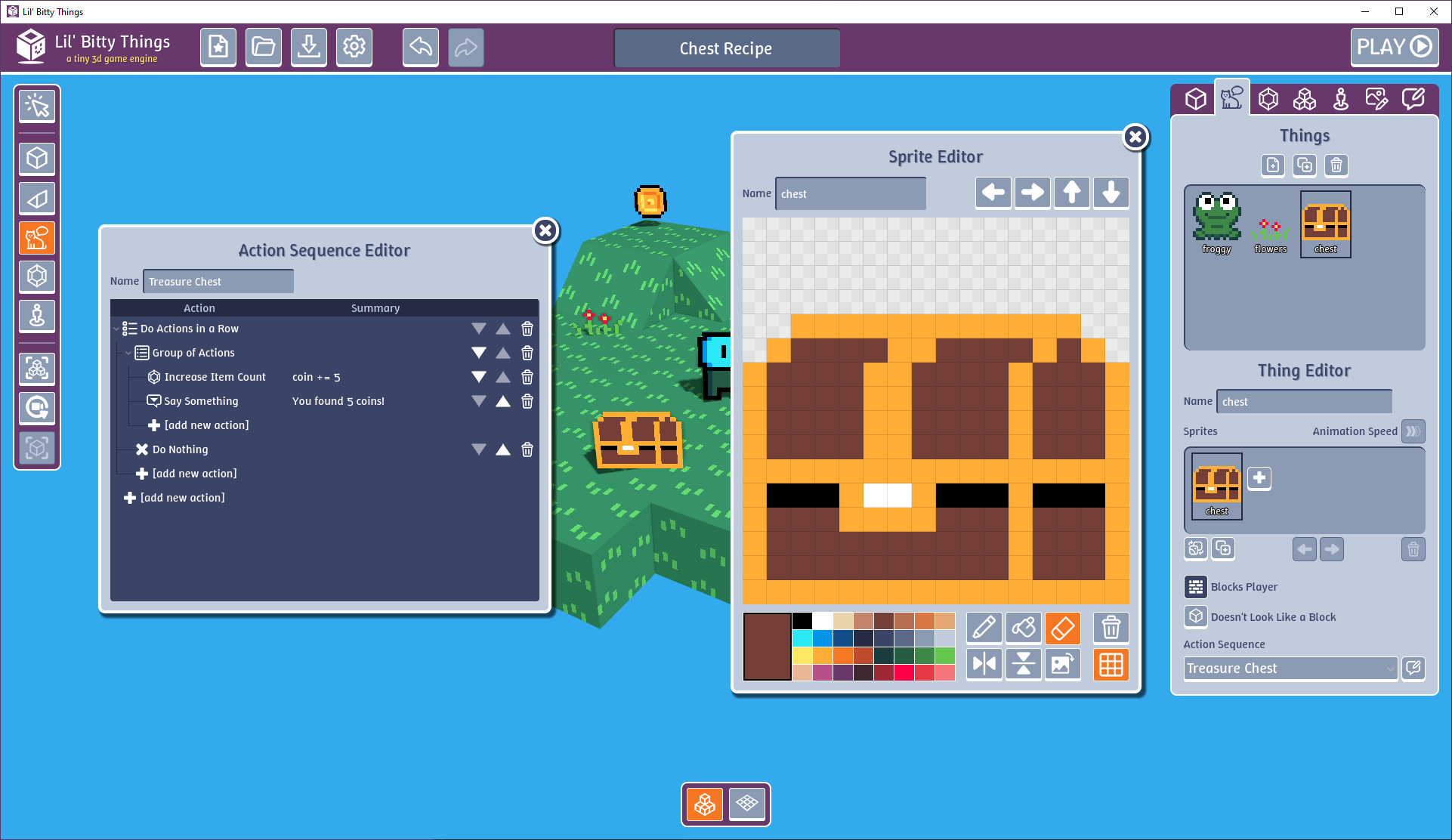
Here are the steps for making a treasure chest:
- Make a new Sprite that looks like a chest and call it
chest. - Make a new Thing called
chestand give it thechestSprite. - Add a new Action Sequence to your
chestThing. - Add a Do Actions in a Row Action.
- For the first sub-Action, add a Group of Actions Action.
- In the Group of Actions, add an Increase Item Count Action that adds 5 coins.
- In the Group of Actions, after the Increase Item Count, add a Say Something Action that says something like, “You found 5 coins!"
- After the Group of Actions, add a Do Nothing Action.
- Hit Play and test it out!
NOTE: Why does this work?
When you have Do Actions in a Row, each time you interact with something, it does the next Action until it runs out of Actions. When it gets to the end of the list, it just keeps doing the last Action each time you interact with it. Because the first Action is the Action Group, it will do that the first time you interact with thechestThing. But the second time, and every time after that, it will do the next Action, which is the Do Nothing Action. This allows you to have a one-time-use Thing.
Here is what the Action Sequence should look like:
- Do Actions in a Row
- Group of Actions
- Increase Item Count - coin += 5
- Say Something - “You found 5 coins!”
- Do Nothing
- Group of Actions